Undergraduate research · software system
SE4999 / 2025 / KDU
WiFiGuardian.
A research prototype for making authorized Wi-Fi security assessment more approachable on Windows—without hiding the systems engineering required to make it dependable.
01 / The question
The hard part was never just the interface.
Linux has powerful wireless-auditing tools, but they often demand specialist knowledge and low-level hardware access that is awkward to reach from a Windows workflow. WiFiGuardian investigates how that gap can be narrowed for people who need understandable, guided security assessment.
“How can an intelligent, user-friendly system orchestrate Linux-based security tools from Windows to detect and help mitigate Wi-Fi threats for non-technical users?”
Research question, WiFiGuardian thesis
of the 128-person sample had never used the cited security tools.
did not know how to respond to a network compromise.
Translate complex audit outcomes into clear defensive action.
Survey figures describe this study’s participant sample; they are not population-wide estimates.
02 / The method
Evidence before implementation.
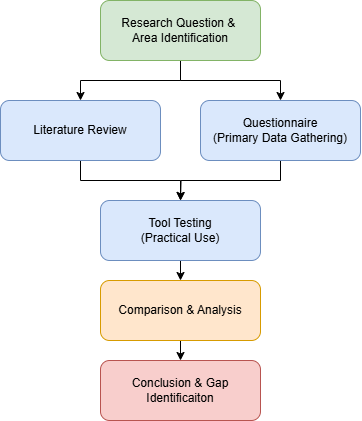
The project used a pragmatist, mixed-method approach: user input and comparative tool review established the problem, then the software artifact and controlled experiments tested a practical response.
Listen
A mixed-method survey of 128 participants surfaced the usability and awareness gap around existing Wi-Fi security tools.
Test
Established tools and four Windows-to-Linux architectures were evaluated in a controlled lab environment.
Build
The evidence informed a PyQt6 research prototype that joins Windows usability with a headless Linux environment.
Refine
Iterative testing, root-cause analysis, and regression checks strengthened state management, parsing, setup recovery, and UI stability.
03 / The architecture
Four paths tested. One path refined.
The central research contribution was architectural: QEMU, Hyper-V, WSL2, and VirtualBox were each examined in the tested environment for the hardware access required by the study. The final answer was not the first working virtual machine, but a deliberately refined hybrid system.
QEMU
The tested configuration exposed the adapter, but did not meet the monitor-mode hardware requirement.
Not selectedHyper-V
The guest received an abstracted device rather than the low-level USB access needed for the study.
Not selectedWSL2
Generic USB pass-through worked, but the tested adapters could not satisfy the monitor-mode requirement.
Not selectedVirtualBox
USB pass-through worked; the final design improved the early network setup with NAT and local SSH forwarding.
Selected path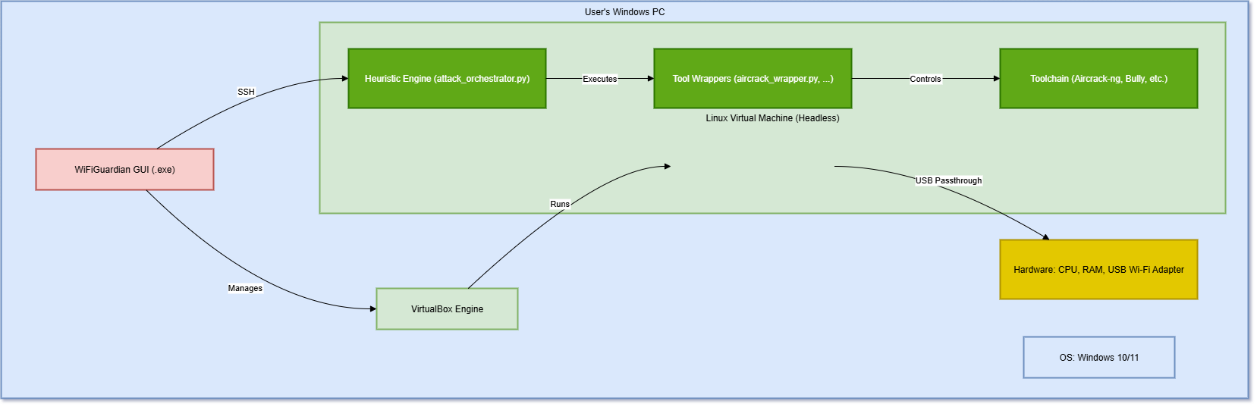
01 / Windows interface
A familiar control surface
02 / Orchestration
A managed headless environment
03 / State-aware workflow
Interactive tools, made dependable
04 / Defensive guidance
Findings translated into action
04 / The software
A guided system—not a terminal wrapper.
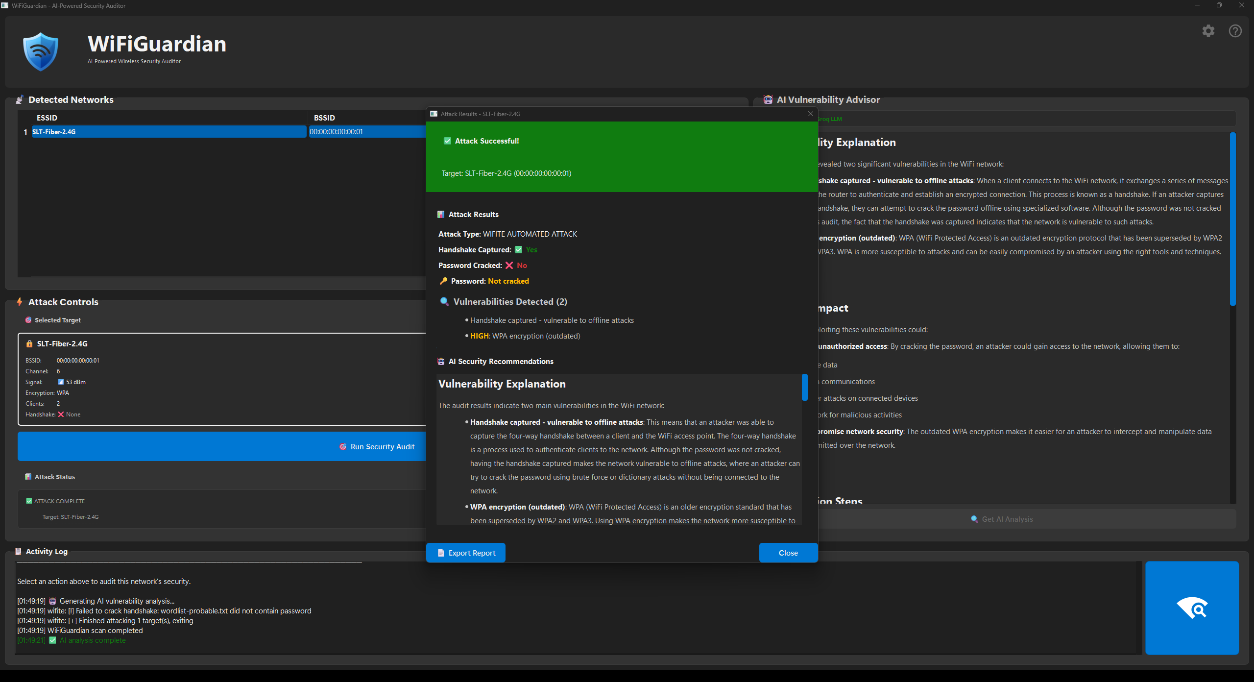
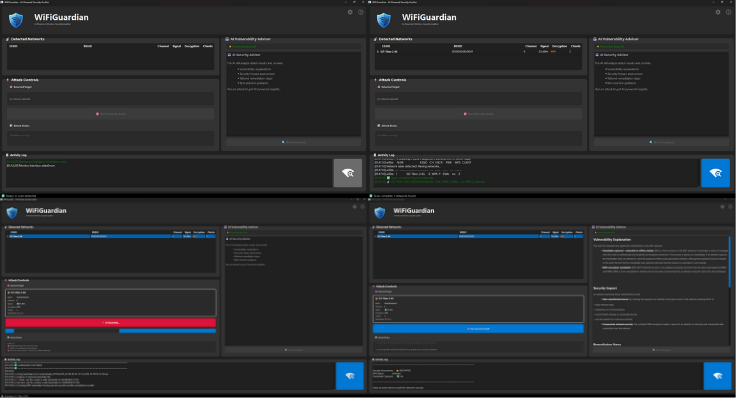
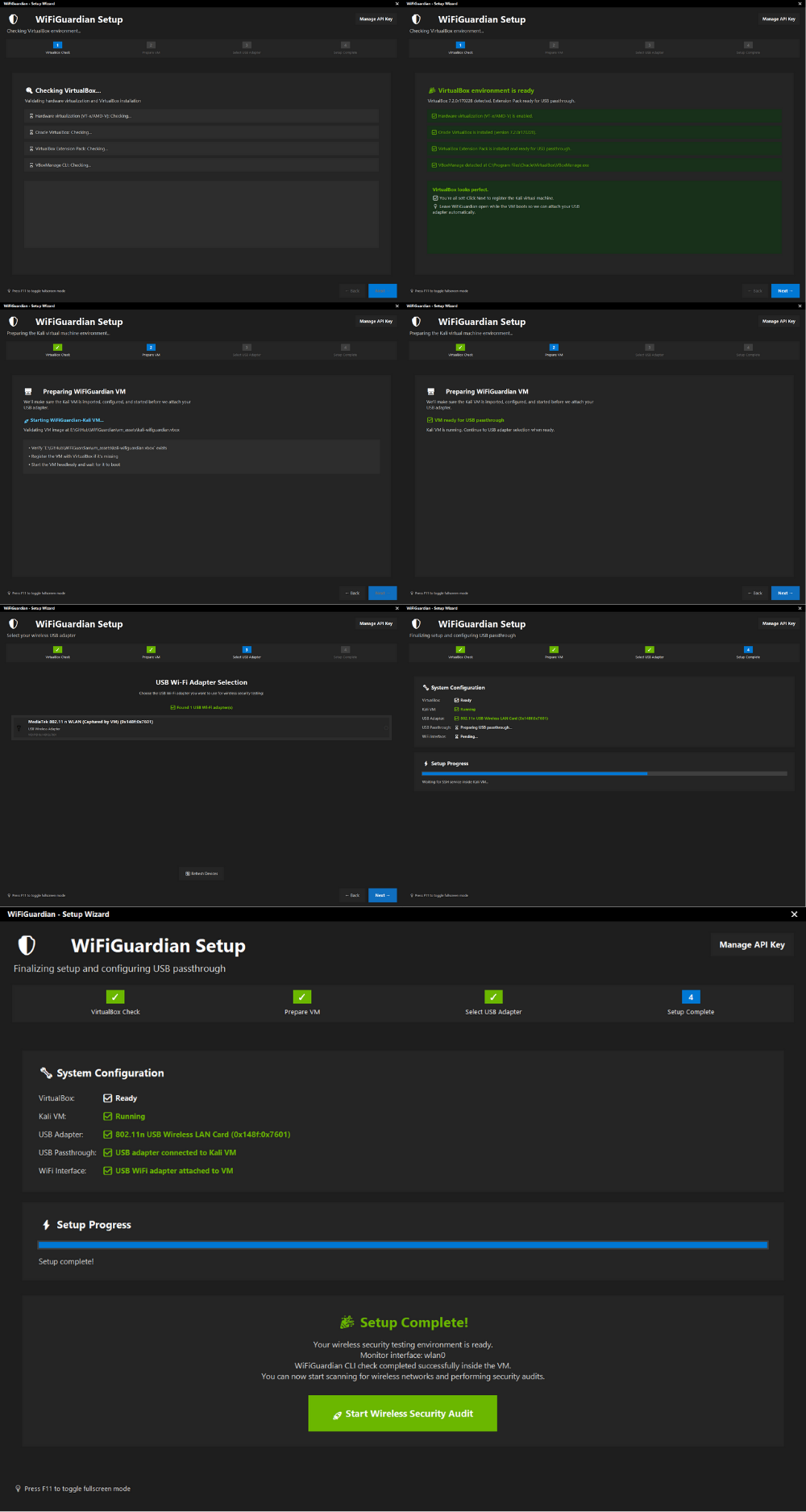
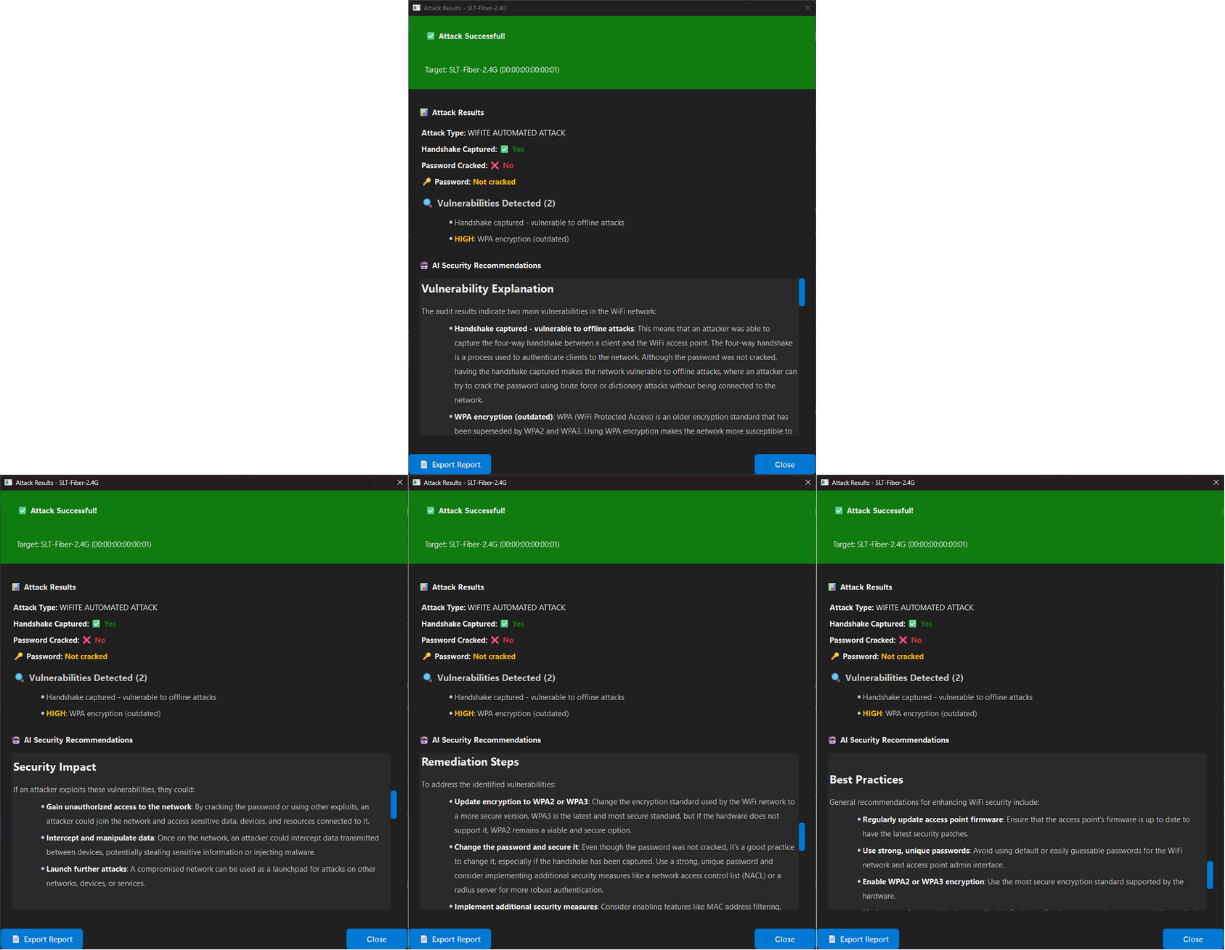
WiFiGuardian is designed as a single flow: prepare the environment, discover nearby networks, run an authorized assessment, then turn the outcome into a readable report. The Windows UI owns the experience; the isolated Linux environment performs the specialist work in the background.
05 / The evaluation
Measured improvement, responsibly framed.
Evaluation followed an iterative loop of execution, failure observation, root-cause analysis, fix verification, and regression testing. These outcomes are thesis-reported results from the controlled test environment—not independent production benchmarks.
Workflow orchestration
State-aware automation replaced a fragile early prototype, raising reported workflow reliability from about 30% to over 95% in the thesis test environment.
Failure recovery
Failed virtual-machine starts were reduced from a 30–60 second timeout to an under-one-second detection and guided recovery path.
Interface stability
A QThread signal-and-slot model removed the cross-thread UI crashes observed during the executed stability tests.
AI advisor review
Four defined scenarios passed a manual, qualitative comparison against a pre-defined remediation “golden standard” after prompt refinement.
06 / Scope & responsibility
The boundaries are part of the research.
WiFiGuardian is a functional academic prototype for assessing networks you own or are explicitly authorized to test. It does not claim to create new cryptographic attacks, kernel drivers, packet-injection frameworks, or a custom machine-learning model.
The host-to-VM orchestration runs locally. If the optional AI Advisor is enabled, audit context is sent to Groq’s hosted API for analysis; it is therefore not a fully local feature.
Current research boundary
- Authorized Wi-Fi assessment and defensive remediation
- Windows host with a compatible USB Wi-Fi adapter
- Controlled evaluation, not large-scale field validation
- No enterprise SIEM integration or mobile deployment
Research outcome